Gransack for Google Drive privacy policy
This policy covers Gransack for Google Drive (“Gransack”), a Mac app I make as a personal project. It explains what Gransack accesses in your Google account, what it does with that information, where it keeps it, and who it shares it with. “I” and “me” mean Jake Goldman.
The short version
Gransack talks to Google and nobody else. It has no server of its own, sends no analytics, and shows no ads. I never receive your Google data, so I have nothing to sell, share, or lose. The only Google Drive data Gransack saves on your Mac is the files you download on purpose.
What Gransack accesses
You sign in with Google in your own web browser, so Gransack never sees your password. It then asks Google for two permissions, each only when it needs it:
- To search, Gransack asks for
drive.metadata.readonlywhen you sign in. It covers information about the files in your Google Drive and in the shared drives you can reach. For each file that matches a search, Gransack reads its name, type, size, and owner; when it was created, last changed, and last opened by you; the folders it's in; its link; and whether its owner allows downloads. Gransack also reads your Google account's email address, so Settings can show which account is connected and Google's permission page can pick the same account. - To download, Gransack asks for
drive.readonlythe first time you download a file. It covers the contents of files in your Google Drive. Gransack uses it only to download a file when you choose Download. If you never download a file, Gransack never asks for this permission.
Gransack can't create, change, move, delete, or share files, and it can't change who has access to them. It works within your Google account's own permissions, so it sees only what you can already see in Google Drive.
How Gransack uses it
Only to do what you ask: show the files that match your search, show the folders they're in, open a file or folder in your browser, and download the files you choose. Gransack doesn't use Google user data for advertising, doesn't build profiles from it, and doesn't use it to train AI or machine learning models. No person reads it. I never see it at all.
Where it's stored
- Your sign-in. Google's refresh token is stored in the macOS Keychain on your Mac. The short-lived access tokens made from it stay in memory only.
- Search results, folder names, and your account's email address stay in memory while Gransack runs, and are gone when it quits.
- Your settings, such as the keyboard shortcut, display choices, and the download folder you picked, are saved in the app's preferences on your Mac. They contain no Google Drive data.
- Files you download are saved where you told Gransack to save them. They're yours. Gransack keeps no copy and no list of them.
- The app's log on your Mac records events, counts, and timings, such as how long a search took. It never records search text, file names, email addresses, or tokens.
Nothing is stored anywhere else. Gransack has no server, so none of this leaves your Mac except in requests to Google.
Who it's shared with
Nobody. Gransack sends requests only to Google, over encrypted HTTPS connections, to search, look up folders, download files, and manage your sign-in. It contains no analytics, advertising, or crash-reporting code, and it doesn't sell, rent, or transfer Google user data to anyone.
Gransack's use and transfer to any other app of information received from Google APIs will adhere to the Google API Services User Data Policy, including the Limited Use requirements.
Your choices
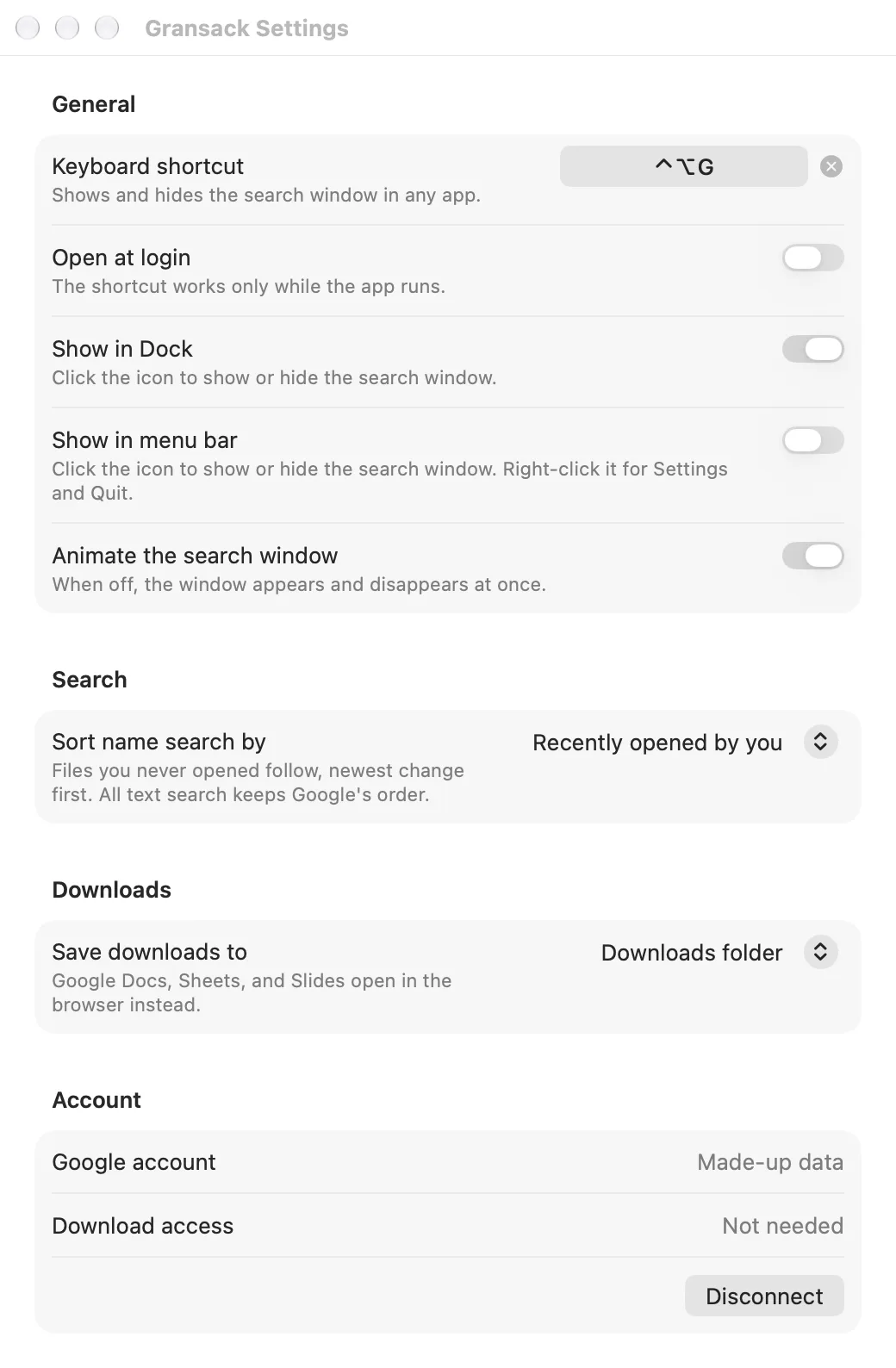
- Disconnect at any time: open Gransack's Settings, then Account, then Disconnect. That revokes Gransack's access with Google and deletes the saved sign-in from your Keychain.
- You can also remove Gransack's access from your Google Account, in your third-party connections.
- If you stop using Gransack, disconnect before you delete the app, so its sign-in is revoked and removed from your Keychain too.
- Files you downloaded stay where you saved them until you delete them.
Security
Gransack signs in the way Google recommends for desktop apps, in your own browser, so your password never passes through it. Every request to Google uses HTTPS, the sign-in is kept in the Keychain, and the app runs in Apple's App Sandbox, which limits what it can reach on your Mac.
Changes to this policy
If anything here changes, I'll update this page and its effective date before a version of Gransack with the change is released.
Contact
Questions about this policy or about Gransack go to [email protected].
Google Drive is a trademark of Google LLC. Mac and macOS are trademarks of Apple Inc. Gransack isn't made, sponsored, or endorsed by Google or Apple.