A Mac app
Gransack for Google Drive
Gransack finds files in Google Drive from anywhere on your Mac. Press Control-Option-G, type a few letters of a file name, and press Return. The file opens in your browser. Nothing syncs, and nothing lands on your Mac unless you ask for it.
I built it for myself. Google Drive for desktop keeps a lot going on in the background to give me file management I don't need, and searching in the browser means dropping whatever I'm doing. Google already keeps a search index of everything in Google Drive, so Gransack asks that index directly instead of building another one on my Mac.
It's a native app for macOS 26 and later, and a personal project, not a Fueled product. It's in testing: only people I've added can sign in, and there's no download yet. The privacy policy covers exactly what it does with your data.
The screenshots show the app's demo mode, with made-up files.
Open it
One shortcut, from any app.
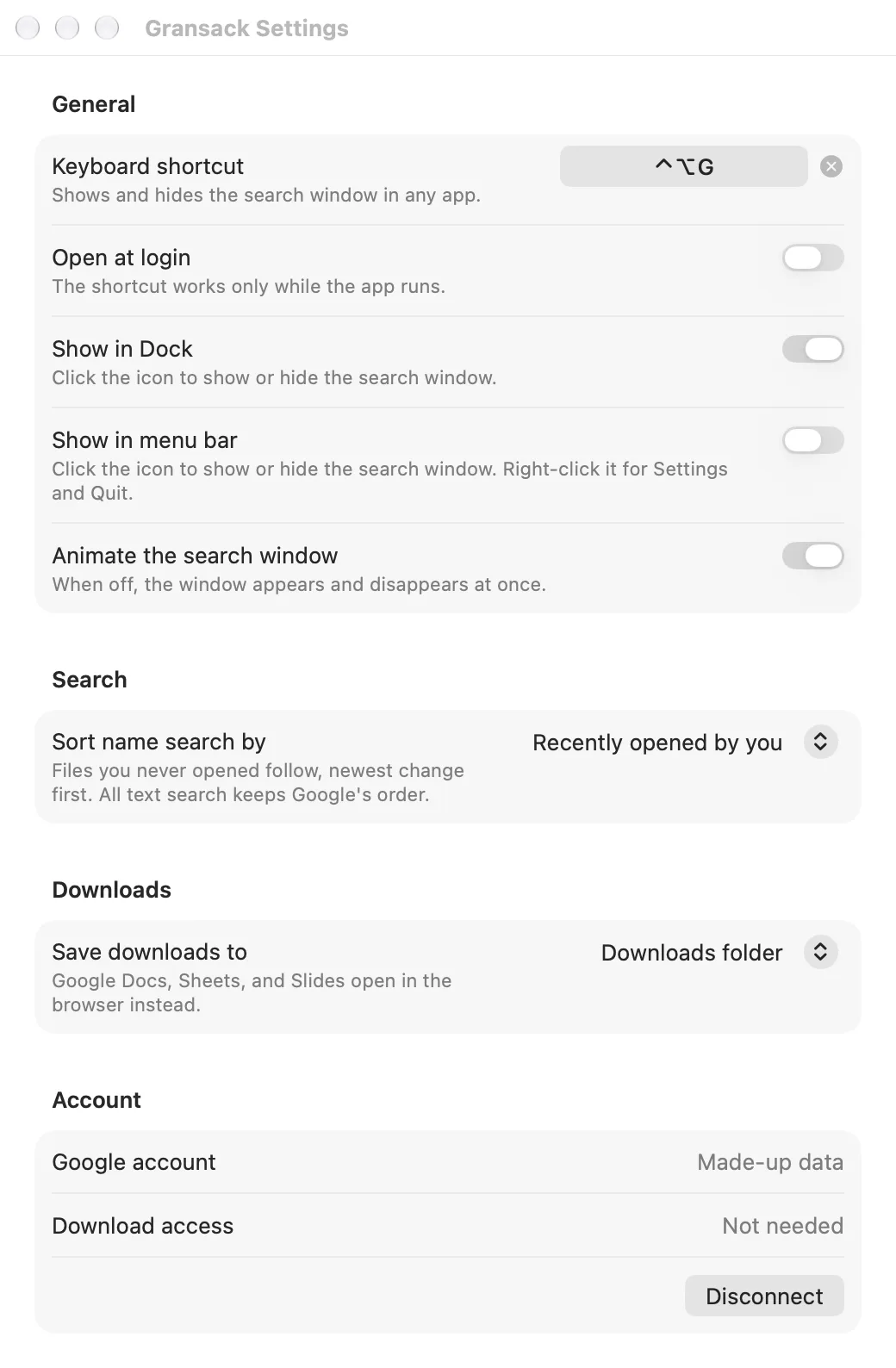
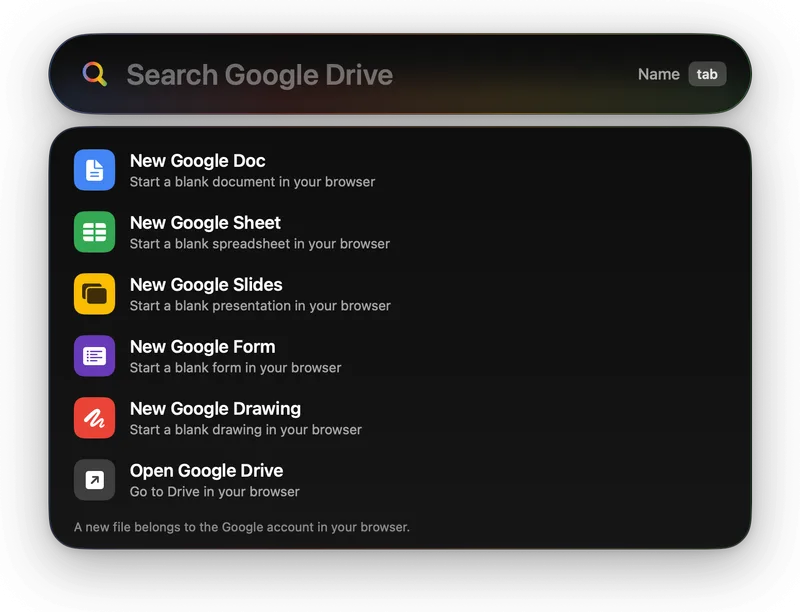
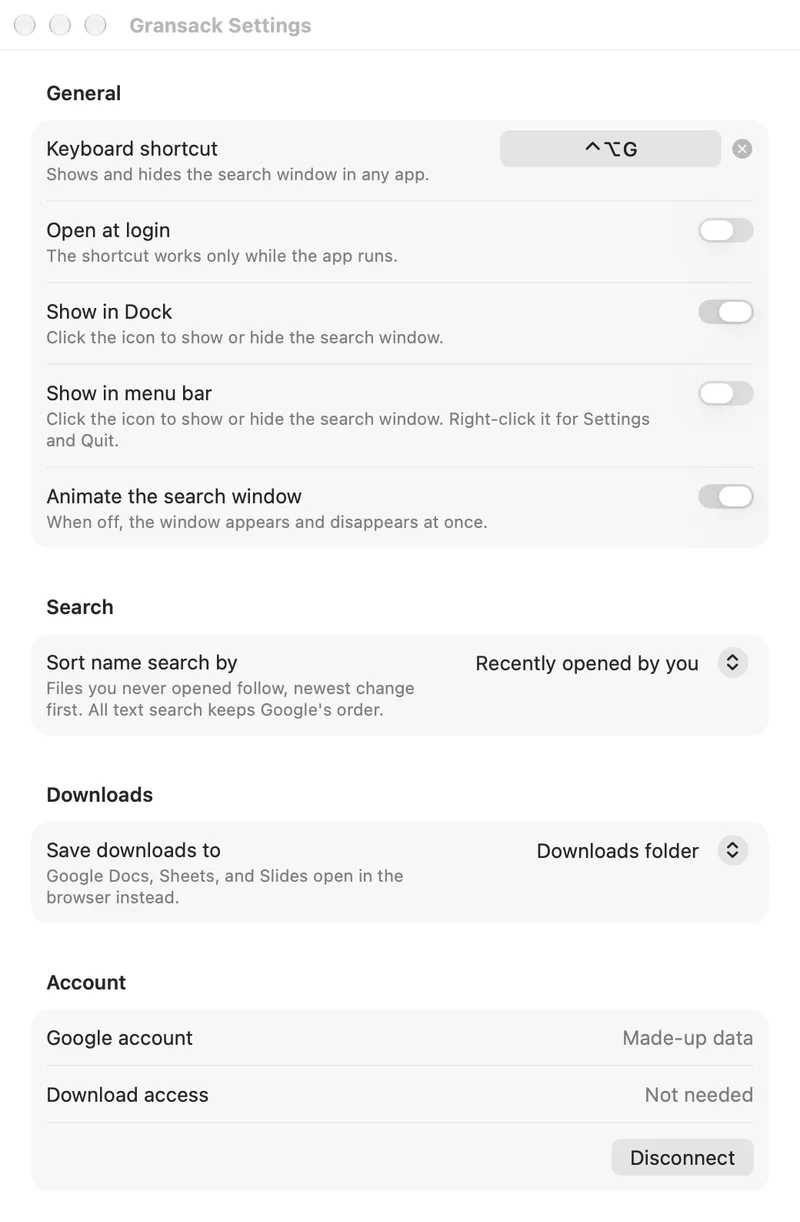
Control-Option-G opens the search window above whatever you're working on, ready to type. A click on the Dock icon does the same, or you can put an icon in the menu bar instead. Escape clears the search; a second Escape puts the window away.
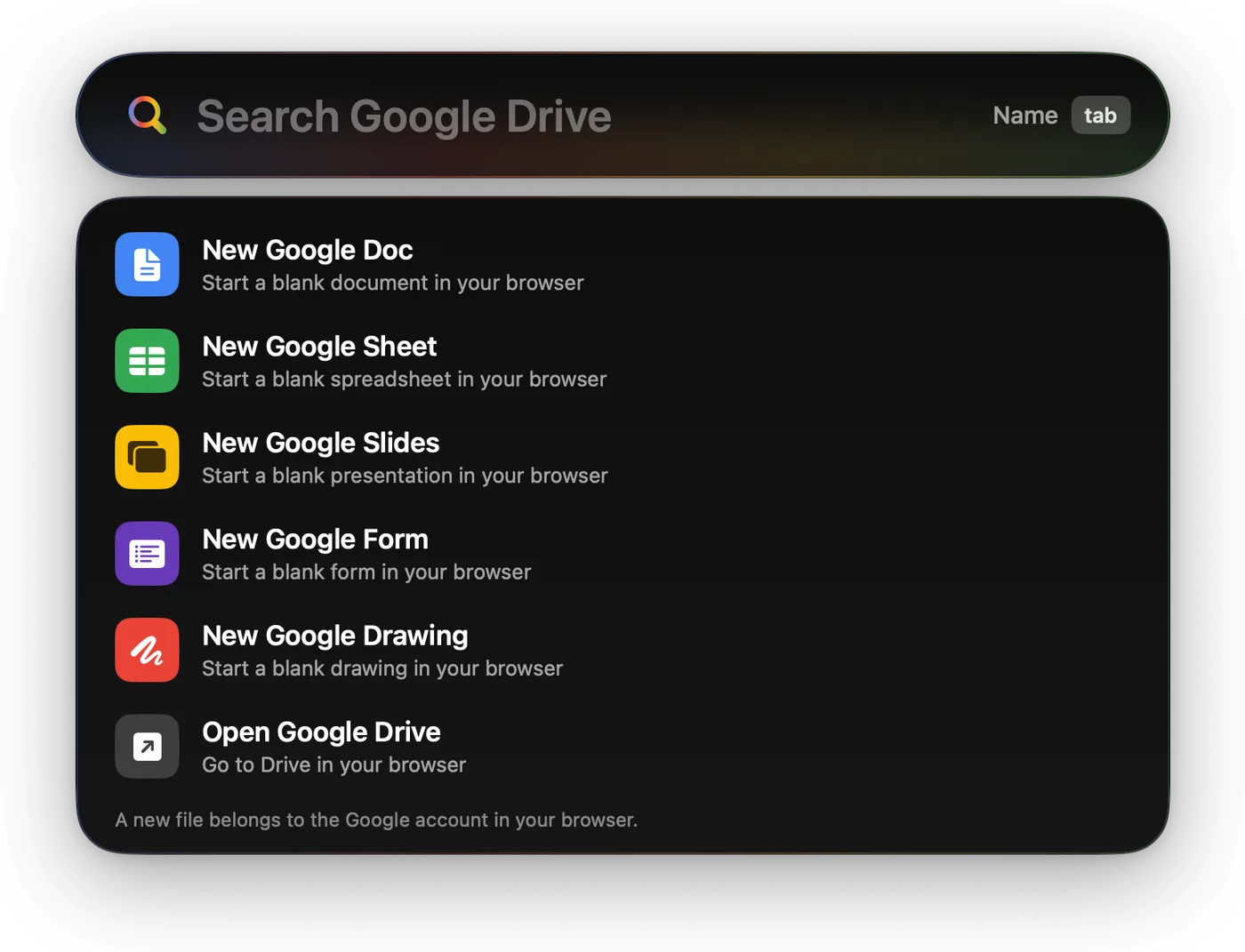
Before you type, it offers a few shortcuts of its own: a new Google Doc, Sheet, Slides presentation, Form, or Drawing, started in your browser, or Google Drive itself.
Search
File names first, then what's inside.
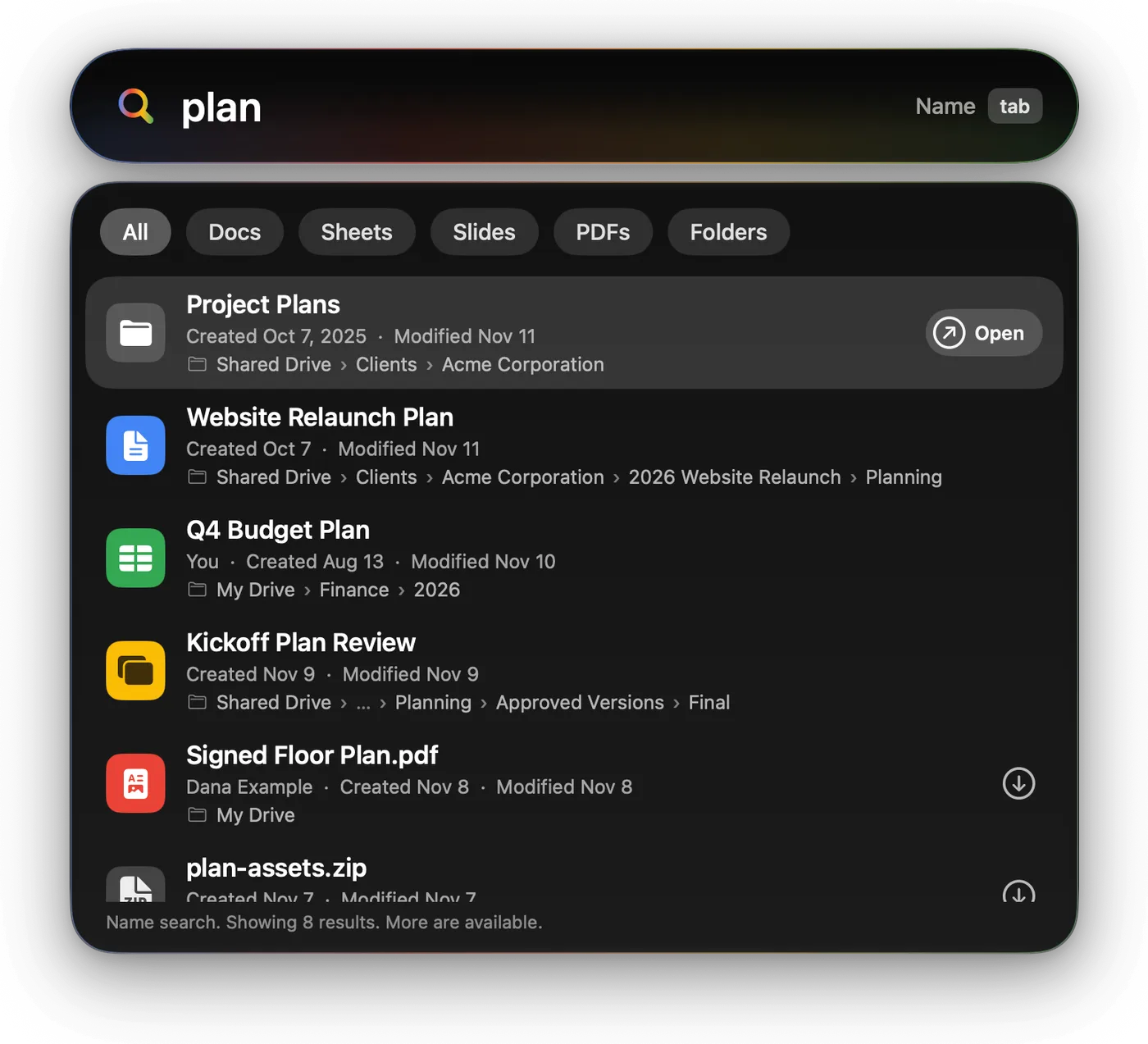
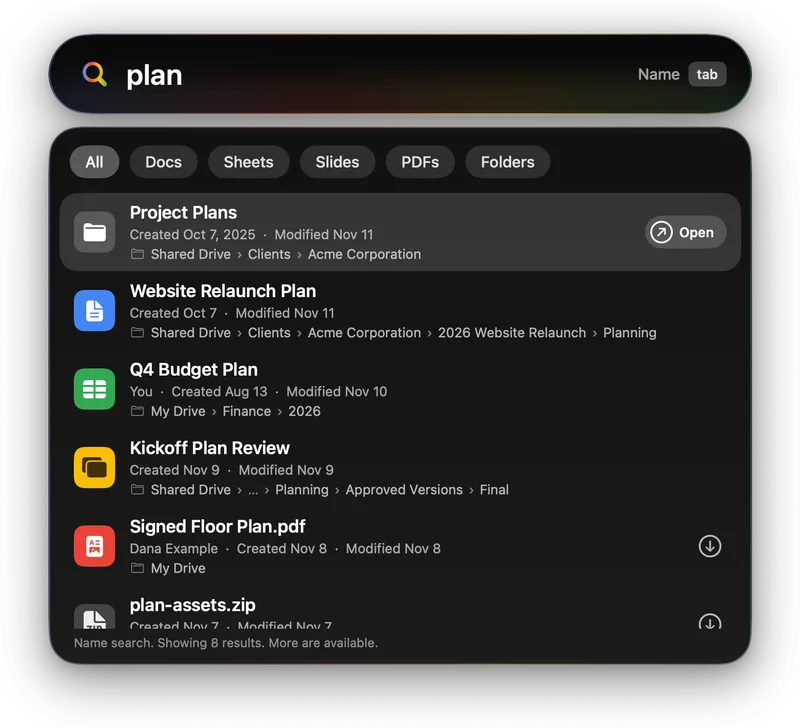
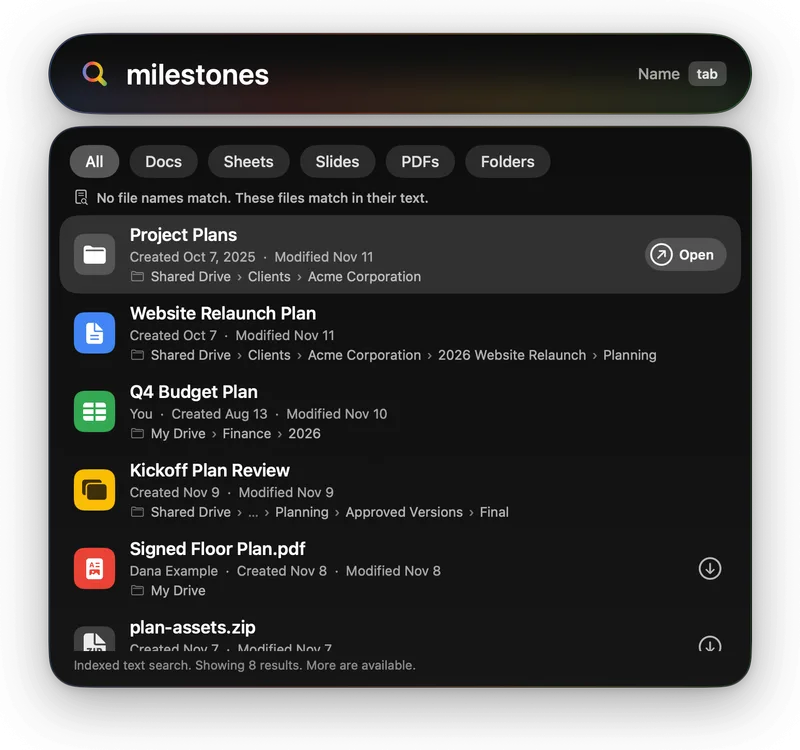
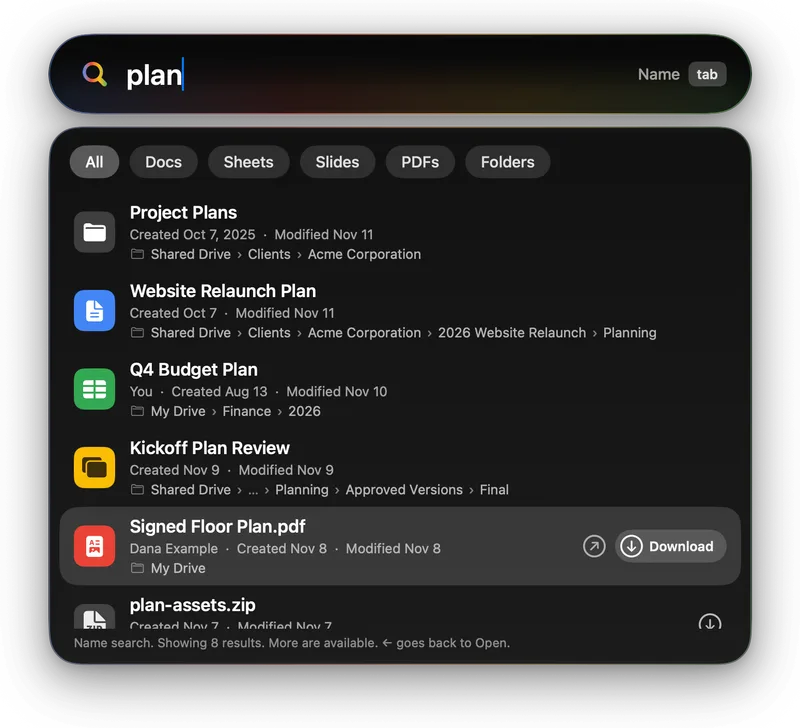
Gransack searches file names as you type, with the files you opened most recently at the top. Each result shows its owner, its dates, and the folders it lives in, shared drives included. Filters narrow the list to documents, spreadsheets, presentations, PDFs, or folders.
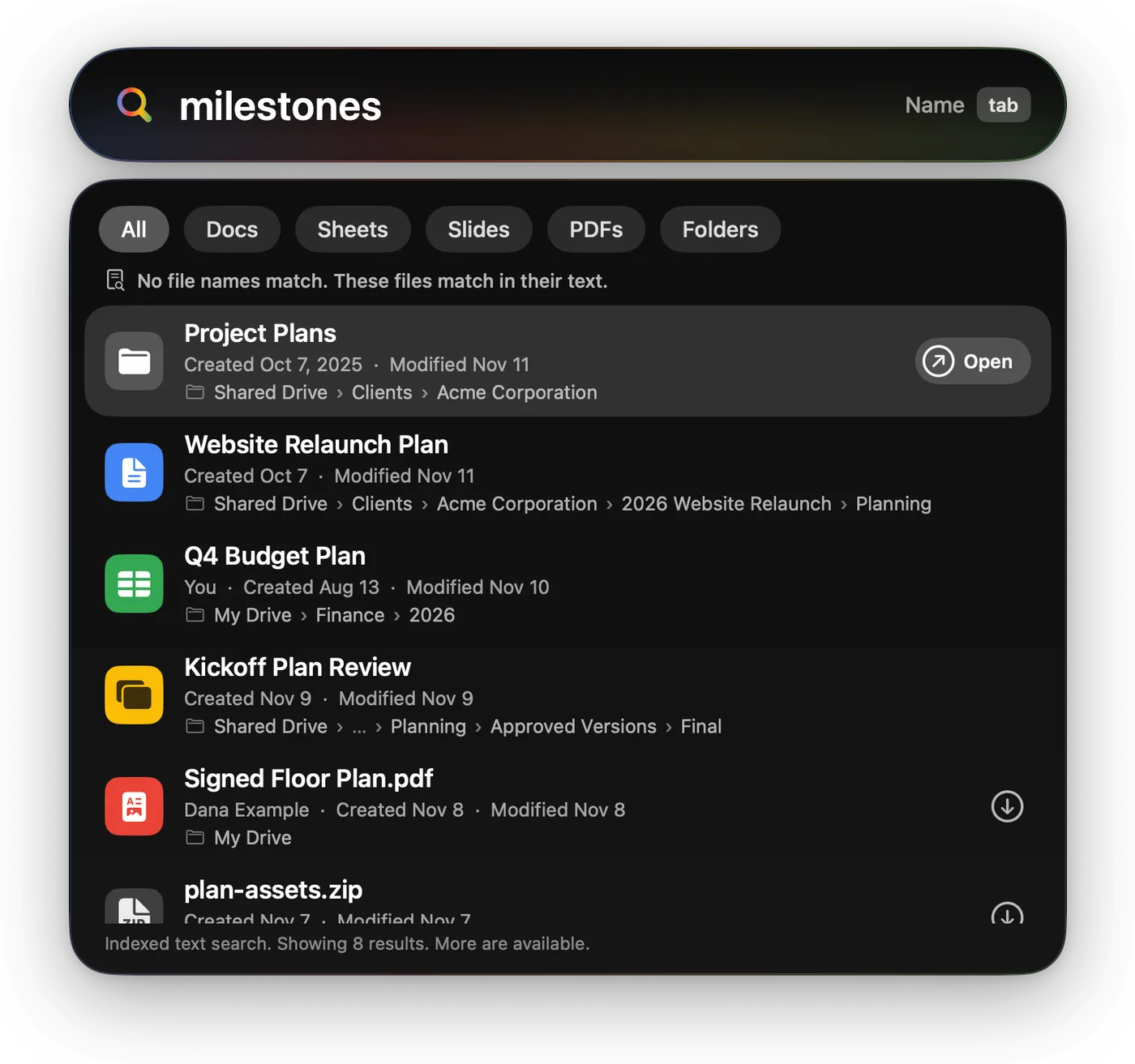
When no file name matches, it searches the text Google has indexed inside your files, and says that's what it did. Tab switches between the two.
It's honest about what Google's search can do. It matches whole words and the beginnings of words, not typos or text in the middle of a word, and Google doesn't index the contents of every kind of file. Gransack doesn't pretend otherwise.
Arrow keys pick a result. Return opens it in your browser.
Download
Only the files you pick.
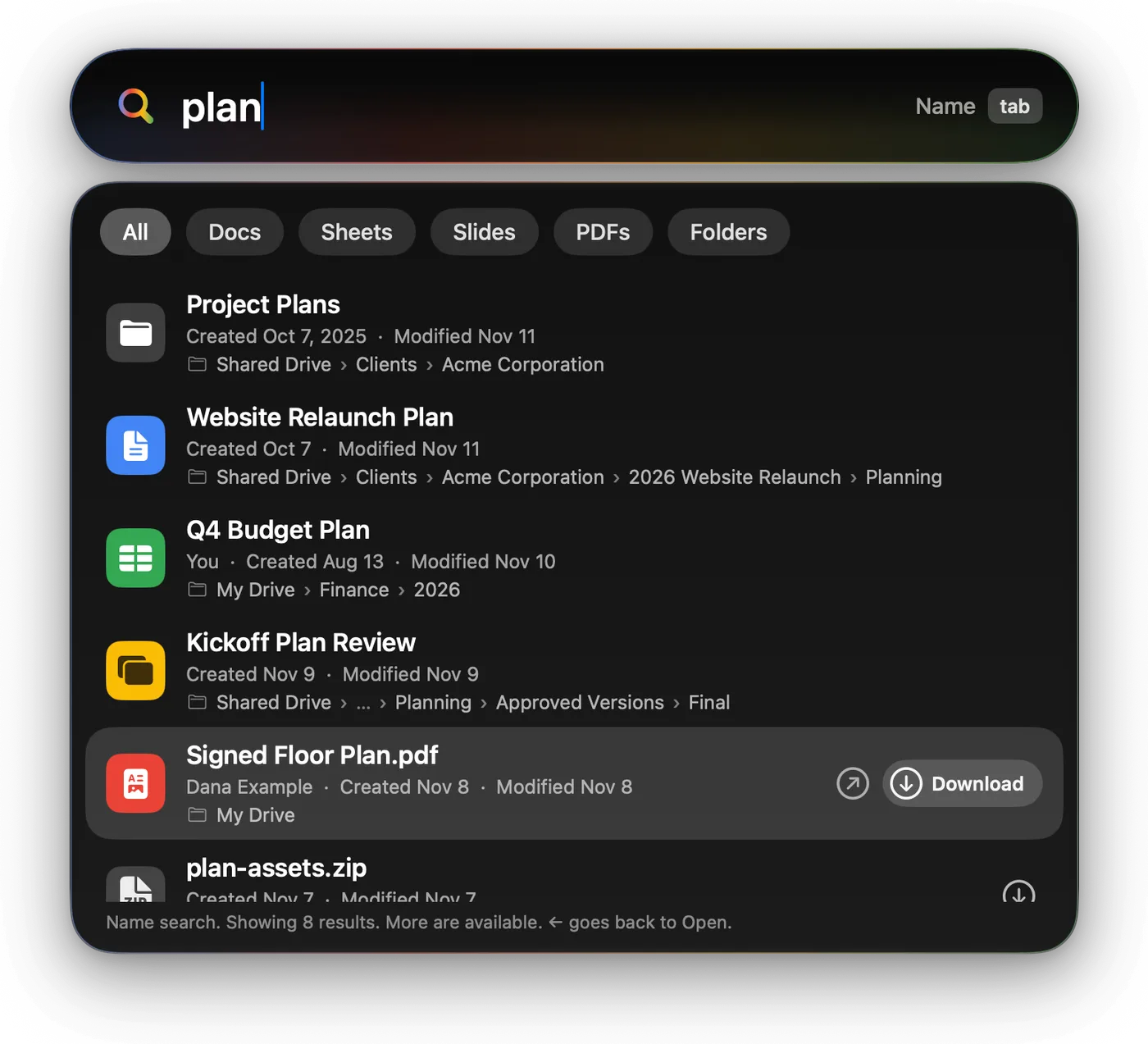
Google Docs, Sheets, and Slides open in the browser, where they live. Files stored as files, like PDFs, images, and Office documents, can also come down to your Mac: press the right arrow to choose Download, then Return, or press Command-Return to download right away.
They land in your Downloads folder, or in another folder you choose in Settings. That's the only time Gransack writes anything from Google Drive to your Mac.
Google Drive access
What it asks Google for, and why.
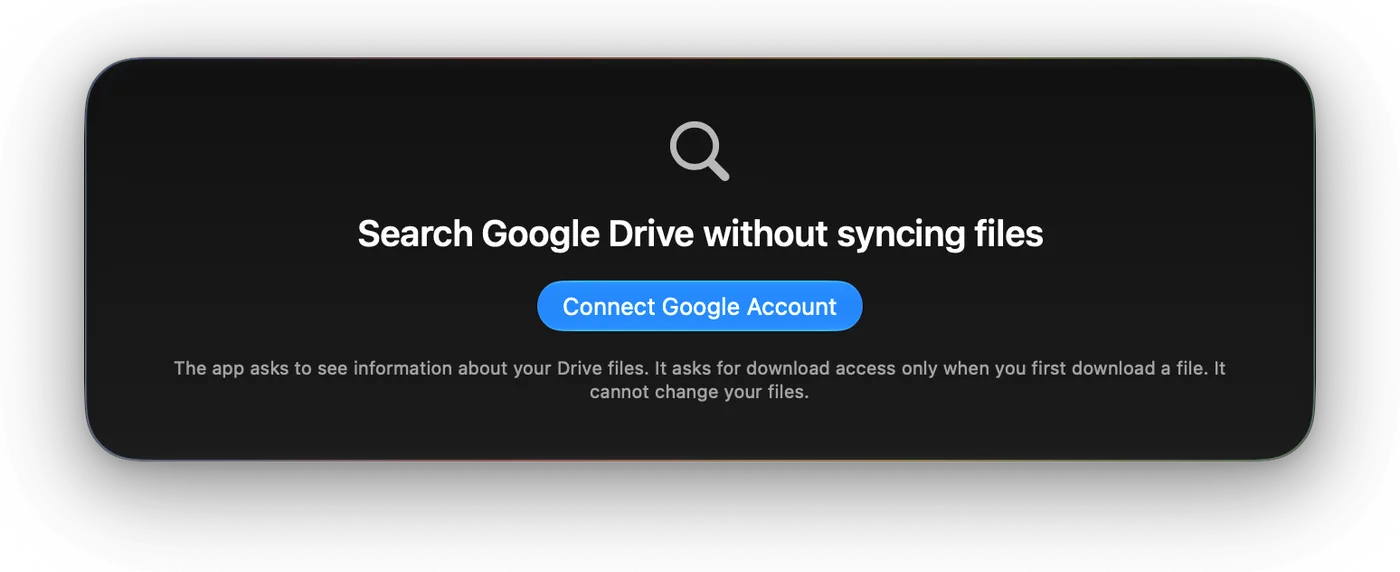
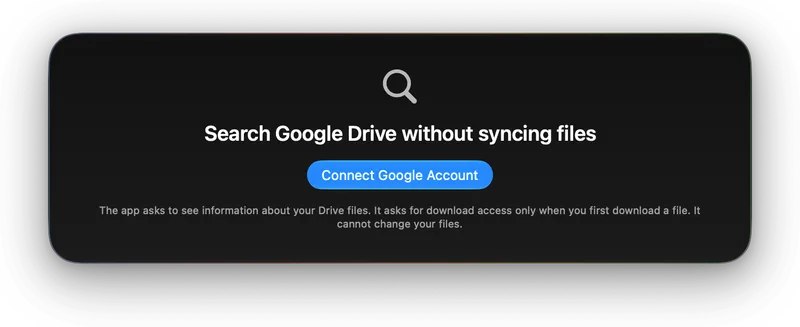
Gransack signs in with your Google account, in your own browser, so it never sees your password. Then it talks to the Google Drive API, Google's interface for apps like this one. It asks for two permissions, each at the moment it needs it:
- When you sign in, permission to see information about your Google Drive files: names, dates, owners, folders, and links. That's what search needs, and no narrower permission can search all of Google Drive.
- When you first download a file, permission to see and download your Google Drive files. Gransack uses it only to download the files you choose. If you never download anything, it never asks.
It can't change, move, delete, or share anything, and it sees only what your Google account can already see. To cut it off, open Settings, then Account, then Disconnect. That revokes its access and deletes the saved sign-in. You can also remove it from the third-party connections in your Google Account.
Privacy
Between your Mac and Google, and nobody else.
Gransack has no server of its own. Searches and downloads go straight from your Mac to Google and back. There are no analytics, no ads, and nothing to sell. The sign-in lives in your Mac's Keychain, and search results stay in memory only while the app is open.
Gransack's use and transfer to any other app of information received from Google APIs will adhere to the Google API Services User Data Policy, including the Limited Use requirements.
The privacy policy has the details. Questions go to [email protected].
Gransack is made by Jake Goldman. Google Drive is a trademark of Google LLC, and Mac and macOS are trademarks of Apple Inc. Gransack isn't made, sponsored, or endorsed by Google or Apple.